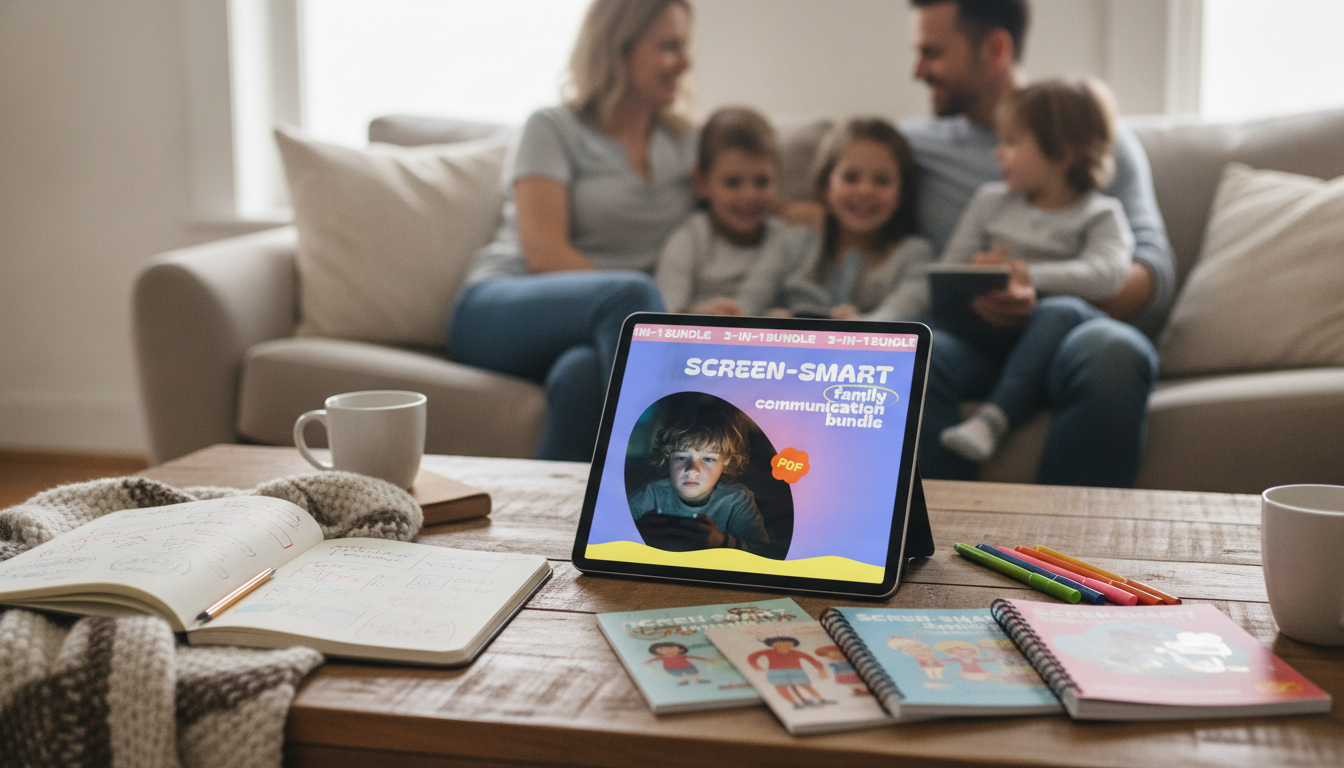
Managing kids’ screens works best when expectations are clear, routines are consistent, and conversations stay calm. This 3-in-1 digital bundle focuses on family communication tools that turn daily screen decisions into a shared plan—so limits feel predictable, not personal.
When rules feel random, kids push harder to renegotiate. When rules feel stable, kids may still dislike them—but they’re less likely to treat them as a debate. A family plan shifts the focus from winning the moment to practicing a repeatable process.
If you want a ready-to-use system you can implement quickly, see the Screen-Smart Family Communication Bundle: 3-in-1 Guide for Kids’ Screen Time Management.
Agreements work best when they’re concrete enough to follow and flexible enough to survive real life. Try these building blocks:
For families who want a credible structure, the American Academy of Pediatrics’ Family Media Plan is a helpful reference for aligning screens with values like sleep, school readiness, and connection.
| Time block | Weekdays | Weekends |
|---|---|---|
| Morning routine | No personal screens; music/podcast optional in shared space | Limited leisure screens after breakfast (set start time) |
| After school | Snack + homework first; short break if needed | Flexible; prioritize outdoor/social plans first |
| Evening | Planned screen window; end time tied to bedtime routine | Longer window acceptable; keep a firm device-off time |
| Meals | Devices away for everyone | Devices away for everyone |
| Before bed | No stimulating content; devices out of bedrooms if possible | Same wind-down rule to protect sleep |
When bedtime gets harder after late scrolling or gaming, it’s not your imagination. The CDC’s overview of sleep for children and teens reinforces how critical routine and adequate rest are for mood, attention, and learning—making “device-off time” a health-based boundary, not a punishment.
The goal isn’t perfect compliance; it’s fewer blowups and faster recovery. Use short, steady phrases that keep you out of a courtroom-style debate:
Keeping language brief reduces the chance of accidental escalation. For broader guidance on healthy technology habits and well-being, the American Psychological Association has practical resources on healthy technology use.
One practical tip: set up a consistent “device home base” in a shared area so charging and storage are automatic rather than a nightly argument. If your family uses a shared space for calls, homework help, or scheduled social time, an Adjustable Tabletop Phone Stand for Livestreaming & Vlogging can help keep devices visible and hands-free—useful for “screens stay in the kitchen/living room” boundaries.
It depends on age, content quality, and what screens are displacing (sleep, physical activity, schoolwork, and family connection). Many families do best with clear boundaries plus a focus on healthy routines, and pediatric guidance can help you tailor a plan to your child’s needs.
Use predictable end times, a 5–10 minute warning, and a consistent transition routine (snack, shower, outside time) to reduce abrupt stops. Stay calm, keep the boundary steady, and consider underlying triggers like fatigue, hunger, or overstimulation.
Many families choose to charge devices outside bedrooms to protect sleep and reduce late-night notifications. If you allow exceptions for older kids, keep expectations clear and apply family-wide rules so no one child feels singled out.





Leave a comment